RowUp
Apple Watch stroke detection and training for indoor rowers
The Problem
Most indoor rowing apps assume you own a Concept2 or a smart erg that broadcasts metrics over Bluetooth. If you have a budget rower, the kind that shows a basic LCD and nothing else, your only option is to row without data and hope you're making progress. Apple Watch has an accelerometer strapped to your wrist the entire time, but no rowing app was turning that raw motion into real stroke metrics.
I wanted to know: can you get legitimate rowing data (stroke count, strokes per minute, split pace) from nothing but the Watch's CoreMotion sensors? And if so, can you build a training app around it that rivals what Concept2 owners get for free?
The hard part wasn't reading sensor data. It was turning noisy accelerometer readings into accurate, real-time stroke detection that works across different rowing styles, stroke rates, and fatigue levels.
The Solution
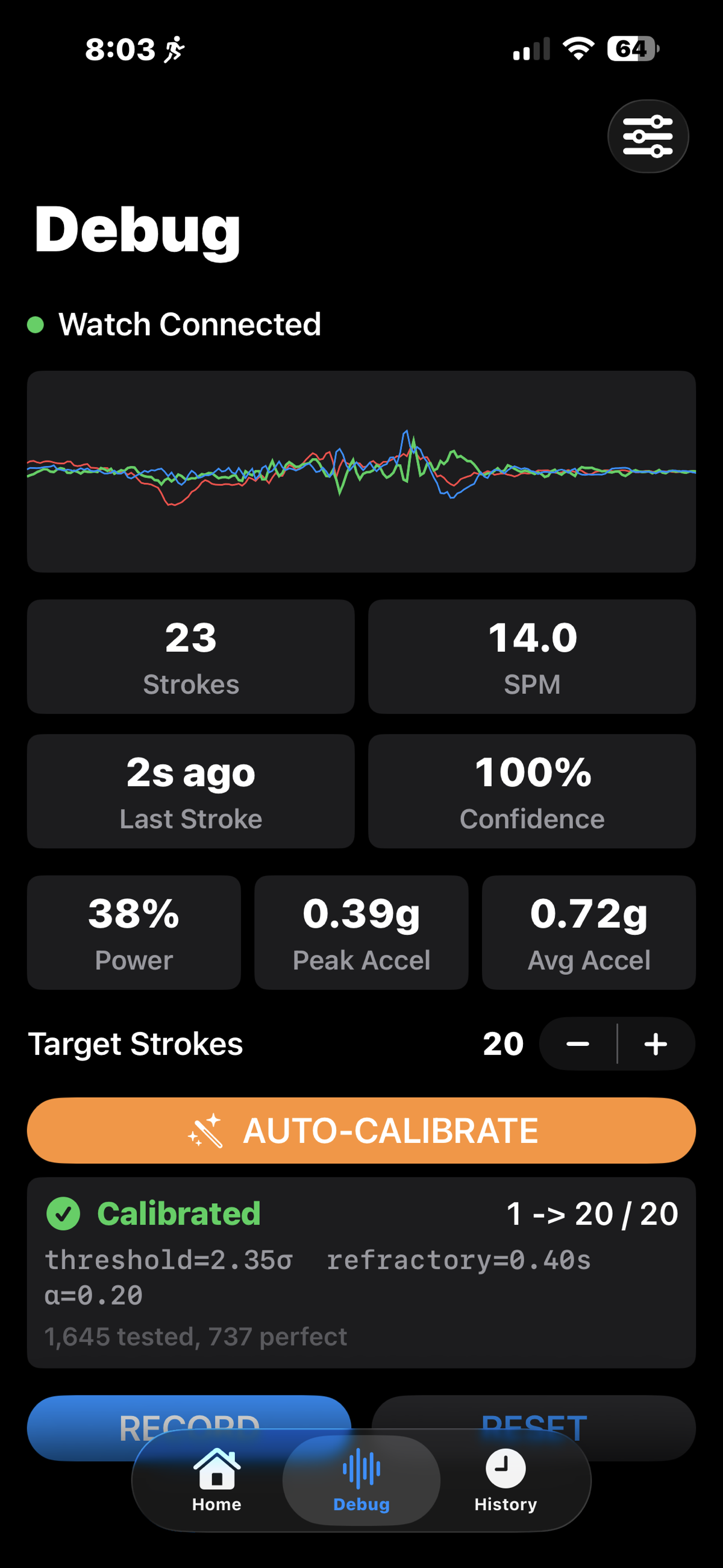
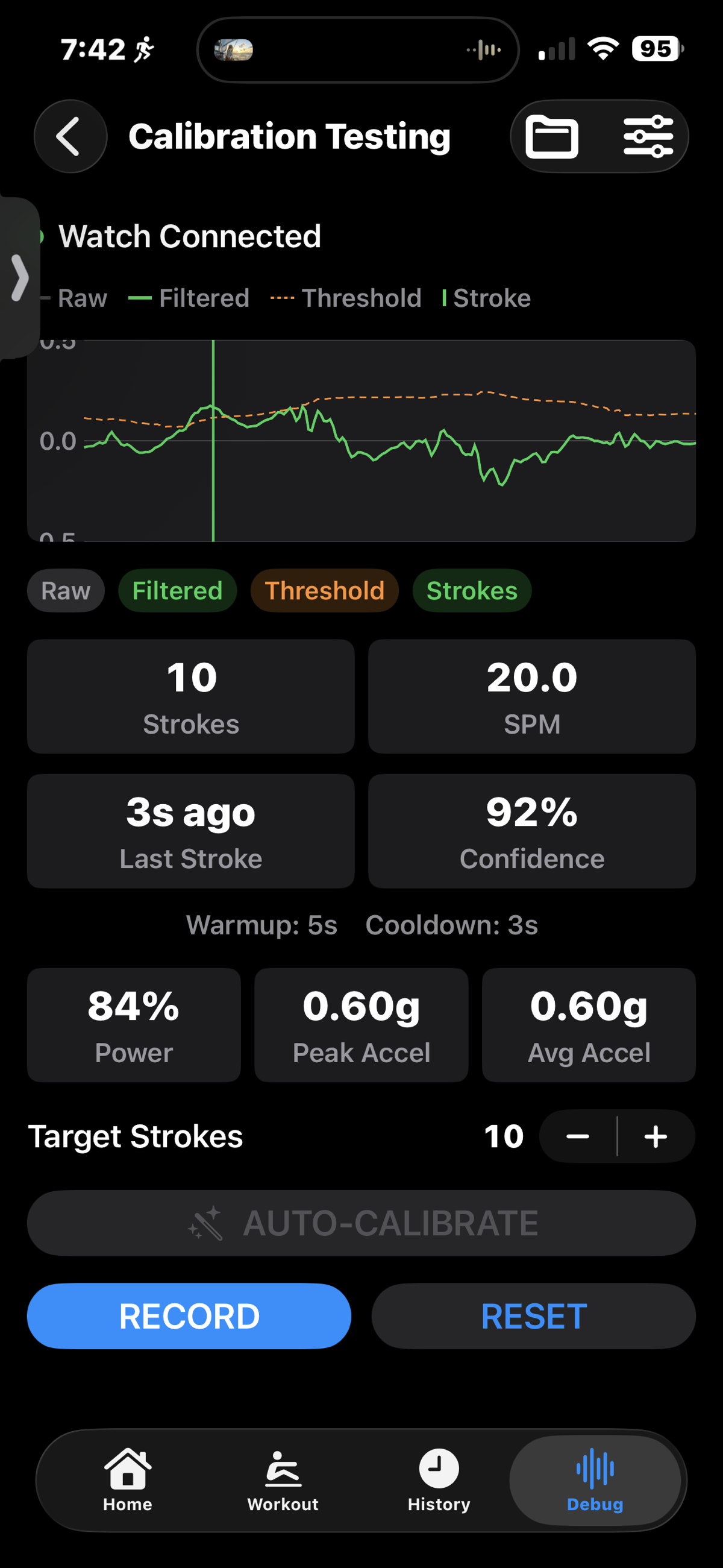
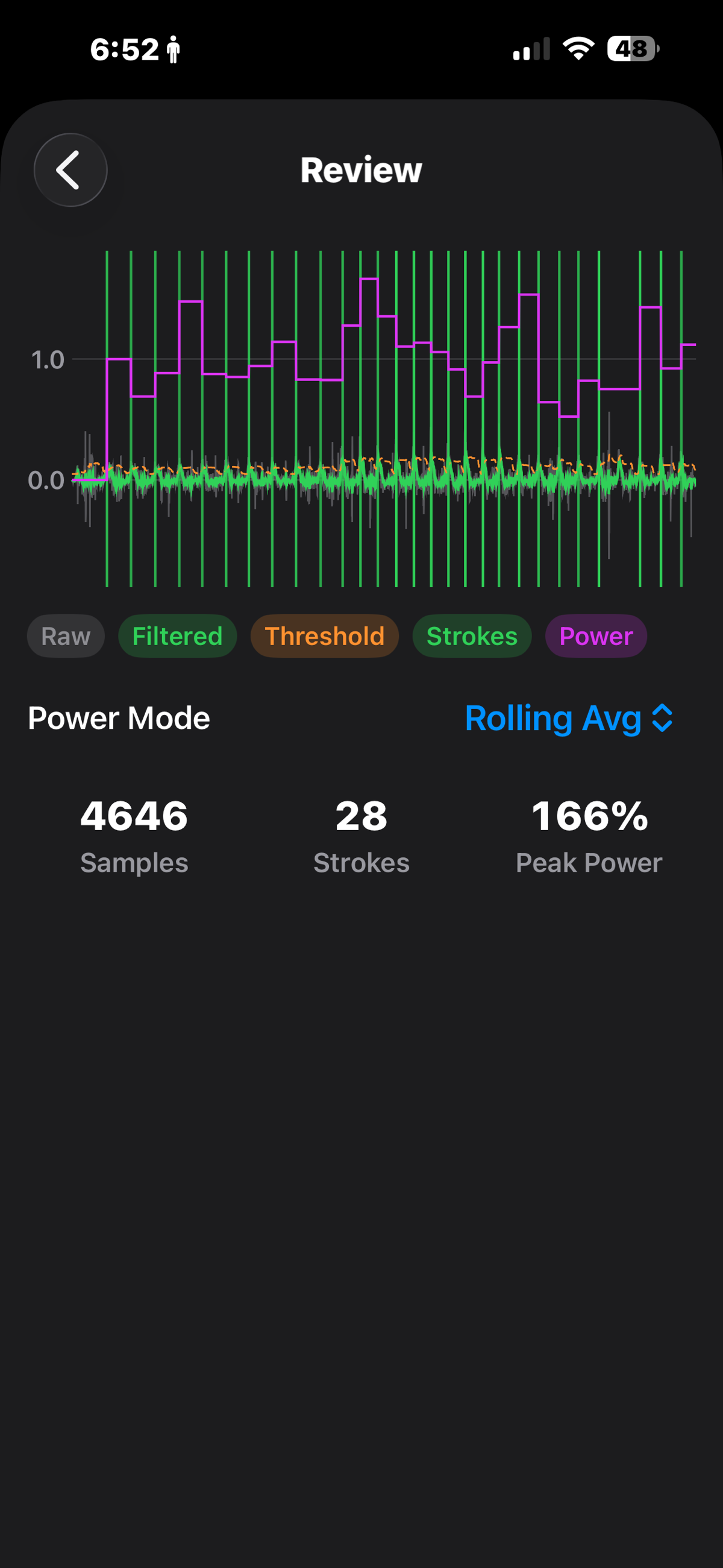
Iterative Stroke Detection Algorithm
The core technical challenge was building a stroke detection algorithm from Apple Watch accelerometer data. There's no off-the-shelf library for this. Rowing is a full-body compound movement that produces complex acceleration patterns on the wrist.
I built the algorithm through hundreds of manual calibration sessions: row a few hundred strokes, export the data, analyze the signal, tweak the detection parameters, and repeat. The algorithm uses peak detection with configurable thresholds, refractory periods to prevent double-counting, and axis-specific tuning since wrist orientation varies between rowers. This all lives in two custom Swift packages: RowingKit for stroke metrics and RepMotion for motion calibration, keeping the signal processing isolated and testable outside the app.
To speed up development without needing to be on the erg for every test, I built simulators for both erg machines (Concept2/FTMS Bluetooth profiles) and heart rate monitors. This let me iterate on the workout engine, interval logic, and UI without physical equipment.
Watch-First Architecture with iPhone Companion
The app runs natively on Apple Watch for the actual workout: CoreMotion sampling, HealthKit workout sessions, real-time metrics display, and haptic cues for interval transitions. The iPhone acts as a companion for workout configuration, history review, and detailed analytics.
Bidirectional sync between Watch and iPhone uses WatchConnectivity with AsyncStreams for real-time metric streaming during workouts and message-based sync for completed workout summaries. This was straightforward once the data contracts were defined. The harder part was handling the various connection states gracefully when the Watch goes in and out of range.
Structured Training Beyond Free Rowing
Beyond free rowing, the app supports timed intervals (with configurable row/rest phases), target-based workouts (row until you hit a stroke, distance, or time goal), and heart rate zone training with six zones. These features are gated behind a premium tier using StoreKit, with a bundled set of training plans available for free.
The interval engine supports HR-triggered transitions (pausing an interval when heart rate hits a ceiling, resuming when it drops to a floor), which required building a state machine that reacts to multiple input streams at once.
Results
- Accurate stroke detection from Apple Watch CoreMotion with configurable calibration per user
- Three workout modes shipped: free row, timed intervals, and target-based workouts
- Full Apple Watch app with native workout sessions, real-time metrics, and haptic feedback
- Bluetooth erg support for Concept2 and FTMS-compatible machines alongside the motion-based approach
- Custom Swift packages extracted (RowingKit, RepMotion, RowingBLE) for reuse and isolated testing
- Erg and HR simulators built for development, eliminating the need for physical equipment during iteration
- Entering TestFlight: app is ready for early beta testers
Retrospective
The stroke detection algorithm consumed the most time by far. Not because it was architecturally complex, but because the feedback loop was physical. Every change meant getting on the rower, pulling a few hundred strokes, and comparing the data. Building the erg simulator earlier would have saved some of that time, but there's no substitute for real motion data when tuning the detection thresholds.
The rest of the project moved smoothly. SwiftUI and SwiftData made the UI and persistence layers fast to build. WatchConnectivity, while sometimes finicky, worked well once the data flow was established. If I were starting over, I'd invest in the simulators on day one. They became the most valuable development tools in the project.
Technology Stack
Platform: iOS 26, watchOS 26, Swift 6, SwiftUI
Data: SwiftData, HealthKit (workout sessions, heart rate, calories, distance)
Watch: CoreMotion (accelerometer/gyro), WatchConnectivity (real-time streaming), native workout sessions
Bluetooth: Concept2 PM5 protocol, FTMS rower profile via custom RowingBLE package
Analytics: PostHog
Monetization: StoreKit (freemium with premium tier)